
September 14, 2026
v0.83: Upload Your Bank Statement and Auto-Import Your Finances with AI
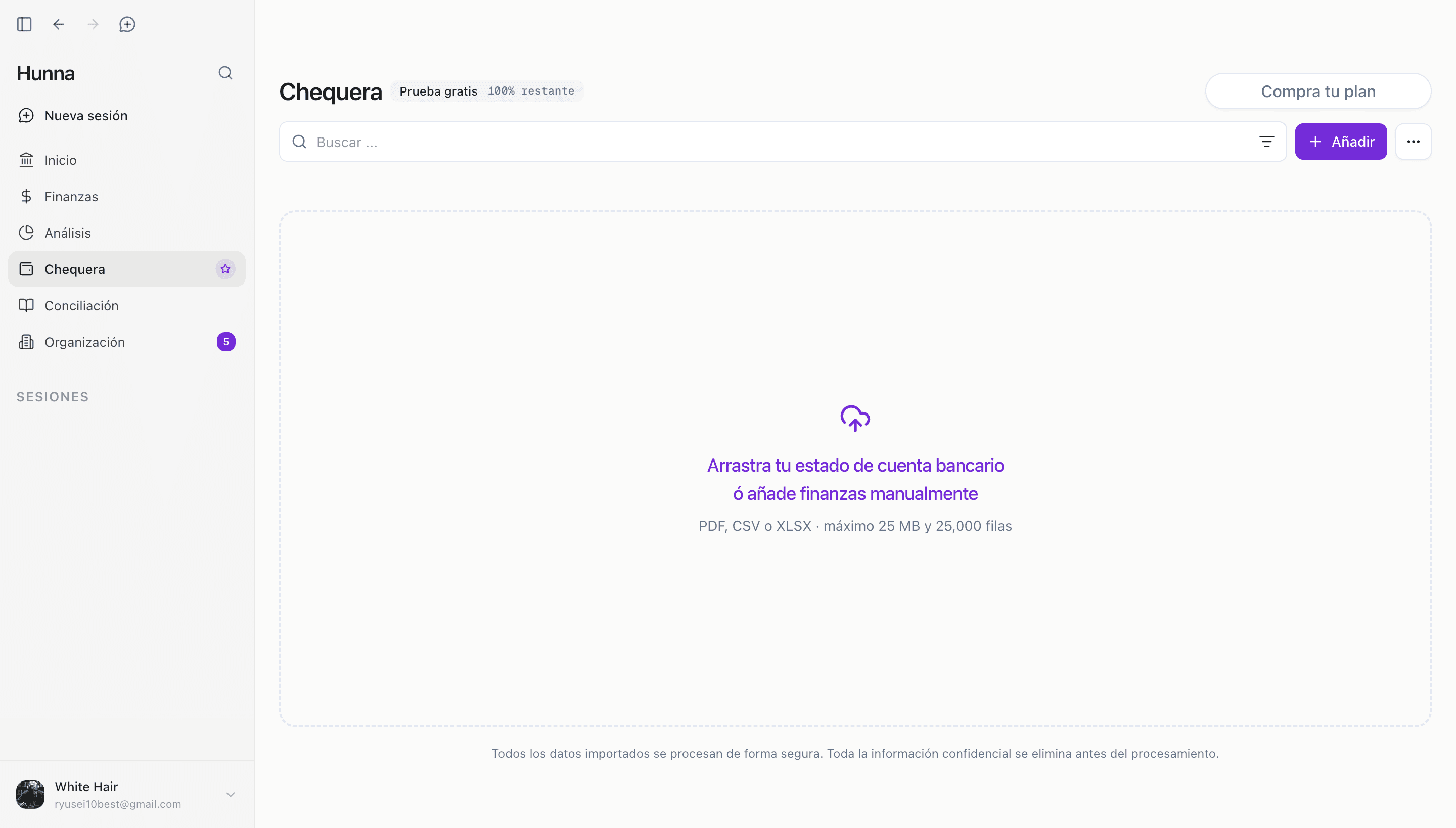
Hunna v0.83 lets you upload a bank statement so AI can automatically classify and import your company finances, helping you start analyzing your profits in under 15 minutes.
Authors: Ryusei Best
1. Overview
Upload your bank statement and let AI classify and import your company finances, so you can go straight to analyzing your profits.
Hunna v0.83 introduces a faster way to begin working with your real financial information. You upload the statement, AI organizes the transactions, and you review any entries that need your attention before adding the finances to Hunna.
The result is a clear route from the activity in your bank account to the profit analysis you use to run your company. You can bring your finances into view and start exploring your numbers in under 15 minutes.
2. Get to your profit analysis faster
As a founder, the sooner your company’s transactions are organized, the sooner you can understand how the business is performing. Your bank statement already contains the money coming in and going out; v0.83 helps turn those movements into classified finances ready for analysis.
We built this feature to give you a quick start with Hunna. AI handles the first pass at classification, while the pending-entry review gives you a focused place to complete the details that need your input. Once the finances are added, you can move directly into profit analysis with a current view of your business activity.
That means less distance between opening a bank document and answering the questions that matter to you as a founder: how much the company is earning, where its money is going, and what you want to improve next.
3. How it works
1. Upload your bank statement. Choose the statement that contains the company transactions you want to bring into Hunna. 2. Let AI auto-classify the transactions. Hunna processes the statement and organizes the financial movements into useful classifications. 3. Review any pending entries. Check the entries that still need your input and complete the missing classification details. 4. Add the finances. Confirm the reviewed information and add the transactions to your company finances in Hunna. 5. Go straight to profit analysis. Open your analysis and use the imported activity to understand your company’s profits and guide your next business decision.
The complete workflow is designed to take you from bank statement to profit analysis in under 15 minutes. Start with the statement you want to analyze, complete the pending entries, and your company numbers are ready to work with in Hunna.
4. Try the new feature
Choose a recent bank statement and use v0.83 to bring your company finances into Hunna. AI will organize the transactions, you can complete the focused review, and then move straight into analyzing your profits.
Open Hunna, upload your bank statement, and start analyzing your company’s profits in under 15 minutes.